The real reasons your website is slow — heavy images, bloated plugins, cheap hosting — and the practical fixes that improve speed and Core Web Vitals.
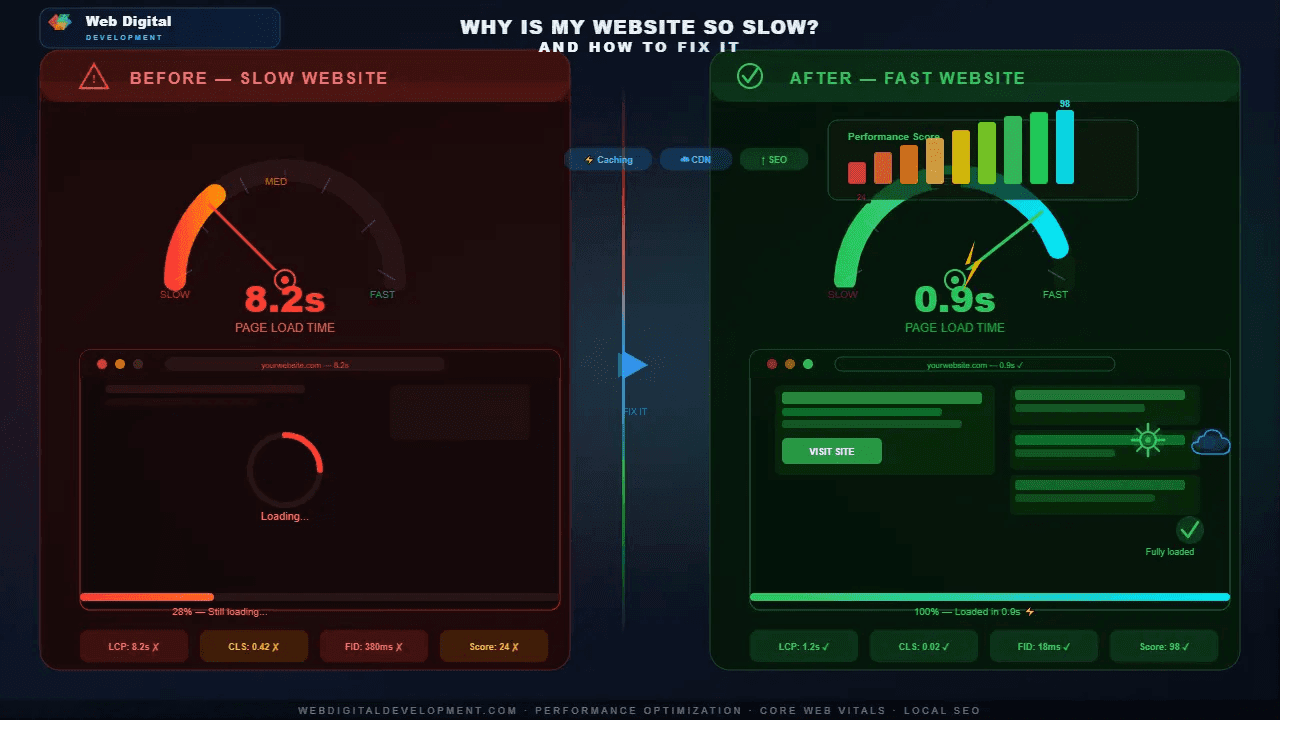
A slow website quietly costs you customers and rankings every single day. Studies repeatedly show that visitors abandon pages that take more than about three seconds to load, and Google factors speed into search rankings. If you have ever wondered why is my website slow, this guide walks through the common causes and the practical fixes — from quick wins to the deeper work.
Why is my website slow?
Most slow websites share a few causes: oversized images, too many plugins or scripts, cheap shared hosting, bloated page-builder code, and no caching or CDN. Usually it is a combination rather than one villain. The good news is that the biggest culprit — heavy, uncompressed images — is also one of the easiest and cheapest things to fix.
| Common cause | Typical fix |
|---|---|
| Large, uncompressed images | Compress and serve modern formats (WebP/AVIF), lazy-load below the fold |
| Too many plugins / scripts | Remove unused ones; defer non-critical JavaScript |
| Cheap or overloaded hosting | Move to faster, properly resourced hosting |
| No caching or CDN | Enable page caching and a content delivery network |
| Bloated page-builder markup | Use clean, custom-coded templates |
What is a good website loading speed?
Aim for a Largest Contentful Paint under 2.5 seconds and a total load time under three seconds on a typical mobile connection. In Google's Core Web Vitals, "good" means LCP under 2.5s, interaction latency low, and minimal layout shift. On India's mobile networks, faster is always better — many of your visitors are on 4G, not fibre.
How do I speed up a WordPress site?
Start by compressing images and installing a caching plugin and a CDN. Then audit plugins and delete anything unused, switch to a lightweight theme, and avoid heavy page builders where you can. Good hosting matters too. These steps alone often cut load times in half without touching a line of custom code.
- Compress every image and enable lazy-loading.
- Add caching and a CDN (such as Cloudflare).
- Remove unused plugins and limit third-party scripts.
- Choose a fast, well-resourced host.
- Keep WordPress, themes and plugins updated.
How do I find out what is slowing my site down?
Run your URL through Google PageSpeed Insights or Lighthouse. Both give you a Core Web Vitals score and a prioritised list of what is hurting performance — usually images, render-blocking scripts or slow server response. Fix the issues from the top of that list down; the first two or three almost always deliver the biggest gains.
When is the site too slow to fix with tweaks?
If a site is built on a bloated template with dozens of plugins layered over years, optimisation can only go so far. At some point a clean rebuild is faster and cheaper than endless patching. A slow site is often one of the signs you need a website redesign rather than another plugin.
If you would rather hand it off, our website development service builds sites for Lighthouse 90+ performance from the ground up, with speed treated as a requirement, not an afterthought.
How do I keep my site fast after fixing it?
Treat speed as ongoing, not a one-time fix. Every new image, plugin or third-party script can slow things down again, so build good habits: compress images before uploading, remove tools you no longer use, and re-test your speed every few months. A site drifts back to slow when nobody is watching it.
Set a simple routine. Before adding any new image, compress it and use a modern format. Before installing a plugin or embedding a widget, ask whether it is worth the weight it adds. Re-run PageSpeed Insights quarterly and after any big change, and keep your platform, theme and plugins updated, since updates often include performance improvements. If you are on managed hosting or a maintenance plan, much of this is handled for you. Speed is like fitness — easy to lose if you stop paying attention, and far easier to maintain with small, regular effort than to recover after a site has slowly bloated over a year of unchecked additions and forgotten plugins.
Frequently asked questions
Does website speed really affect Google rankings?
Yes. Core Web Vitals are a confirmed ranking signal, and speed also affects bounce rate and conversions, which influence rankings indirectly. Speed alone will not lift weak content to page one, but among similar competitors, the faster site has a real and measurable advantage.
Will a CDN make my website faster?
Usually, yes. A content delivery network serves your files from servers physically closer to each visitor, cutting load times — especially for users far from your main server. Combined with caching, a CDN is one of the highest-impact, lowest-effort speed improvements you can make, and many offer a free tier.
Are images really the main reason sites are slow?
Very often, yes. Uncompressed, oversized images are the most common cause of slow pages, because they are the heaviest thing most sites load. Compressing images and serving modern formats frequently halves load time on its own — it is the first place to look before anything more technical.
Can cheap hosting be the problem?
Absolutely. Budget shared hosting crams many sites onto one overloaded server, so your response time suffers when neighbours get busy. If your site is well-optimised but still slow to respond, the host is a likely culprit. Upgrading hosting can produce an immediate, noticeable improvement.